Your First Eviction Policy
Learn how to handle memory pressure by implementing a simple FIFO eviction policy that swaps pages to disk.
When your allocation policy runs out of free pages, the system doesn't have to fail. USM allows you to define an eviction policy that can free up memory by moving less-used pages to a swap device (like a file on disk).
This guide explains how to implement a simple "First-In, First-Out" (FIFO) eviction policy.
The Eviction Mechanism: usm_evict_fallback
The primary mechanism for emergency eviction is the usm_evict_fallback function pointer.
- How it works: When your
usm_allocfunction finds thefreeListis empty, instead of immediately failing, it can callusm_evict_fallback. - Your Job: You must write a function that can serve as this fallback. This function's job is to select a "victim" page from the
usedList, swap it out to disk, and return its physical page to thefreeList.
Step 1: The Swap-Out Logic
The example code in policiesSet1.c and policiesSet1BP.c provides the building blocks for eviction. The core logic resides in the swap_out function, which performs these actions:
- Takes a
to_swapstruct containing the victim page. - Calls
usm_clear_and_setto update the application's page table. This atomically removes the mapping to the physical page and replaces it with a special "swap entry" that encodes the location of the page on disk. - Writes the page's data to a swap file using
fwrite. - Returns the physical page to the
freeList, making it available for new allocations.
Step 2: Implementing the Fallback Handler
Let's write our emergency eviction function. This function will implement the FIFO logic by selecting the oldest page from the usedList (which is at the head of the list).
// This function is our emergency eviction handler.
void handle_evict_request(struct usm_event *event) {
    printf("[devPol/Mayday] Calling emergency evict. func.!\n");

    // Create a structure to hold swap information.
    struct to_swap *toSwapNode = (struct to_swap *)malloc(sizeof(struct to_swap));

    // Lock the used list to safely select a victim.
    pthread_mutex_lock(&policiesSet1Ulock);

    if(list_empty(&usedList)) {
        pthread_mutex_unlock(&policiesSet1Ulock);
        printf("[devPol/Mayday/Mayday] Nuthin' to evict here!\n");
        free(toSwapNode);
        return;
    }

    // FIFO Logic: Select the oldest page, which is the first one in the used list.
    struct optEludeList *victimPageNode = list_first_entry(&usedList, struct optEludeList, iulist);

    // "Hold" the page by removing it from the used list.
    list_del(&victimPageNode->iulist);
    pthread_mutex_unlock(&policiesSet1Ulock);

    // Populate the swap node with details from the victim page.
    toSwapNode->page = victimPageNode->usmPage;
    toSwapNode->proc = victimPageNode->usmPage->process;
    toSwapNode->swapped_address = victimPageNode->usmPage->virtualAddress;
    toSwapNode->swapDevice = choose_swap_device(toSwapNode->proc);
    toSwapNode->snode = list_entry(getSwapNode(toSwapNode->swapDevice), struct swap_node, iulist);
    toSwapNode->snode->toSwapHolder = toSwapNode;

    // Call the core swap_out function to write to disk and free the page.
    toSwapNode->swapDevice->swap_dev_ops.swap_out(toSwapNode);
}
Step 3: Registering the Fallback Handler
In your swap policy's _setup function, you simply assign the address of your new function to the global usm_evict_fallback pointer.
static int policiesSet1_setup(unsigned int pagesNumber) {
    // ... other swap setup ...

    // Register the fallback handler.
    usm_evict_fallback = &handle_evict_request;

    return 0;
}
Step 4: Integrating with the Allocator
Finally, your allocation policy needs to be updated to call this fallback when it runs out of memory.
static inline int basic_alloc_uniq(struct usm_event *event) {
    int retried = 0;
retry:
    pthread_mutex_lock(&policiesSet1Flock);

    if (list_empty(&freeList)) {
        pthread_mutex_unlock(&policiesSet1Flock);
        if (retried) return 1; // Failed even after eviction

        // Out of memory, call the emergency fallback!
        usm_evict_fallback(event);
        retried = 1;
        goto retry; // Try the allocation again.
    }

    // ... rest of the allocation logic ...
}
Demonstration: Testing the Eviction Policy
Let's see the eviction policy in action by running a system with limited memory and high memory pressure.
Running the InstanceUSM with Eviction Configuration
Image 1 - InstanceUSM avec configuration d'éviction :
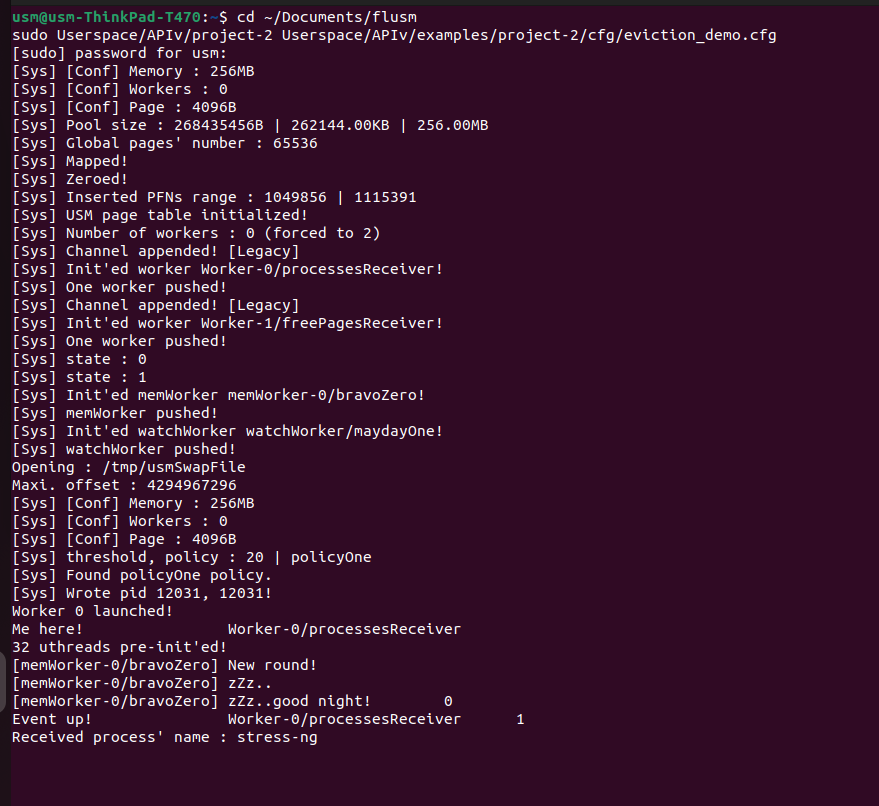 Launch of project-2 with eviction configuration
Installing Memory Stress Testing Tools
Before testing the eviction policy, we need to install appropriate stress testing tools that will consume memory beyond our configured limits.
Starting the USM Manager
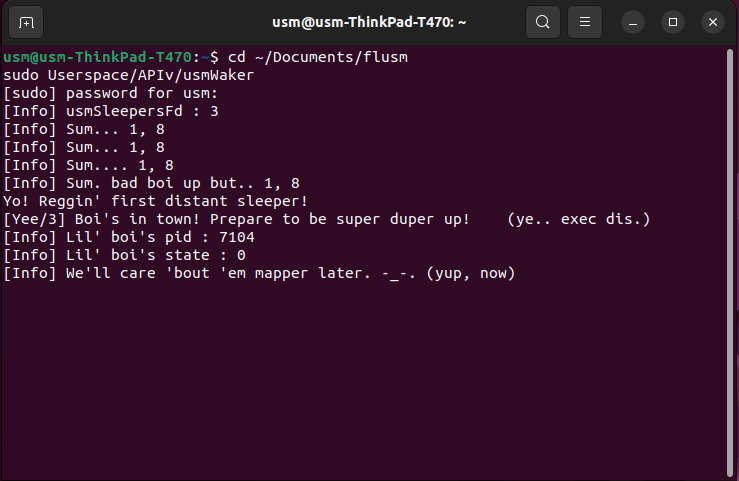 Start of usmWaker monitoring system
Monitoring the System Before Stress Test
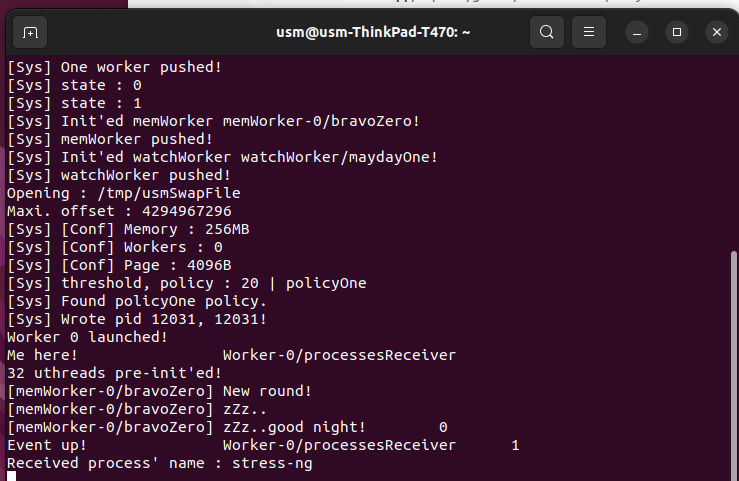 USM eviction test system monitoring
Executing the Memory Stress Test
sudo LD_PRELOAD=./Userspace/usmTagger.so stress-ng --vm 1 --vm-bytes 1G --timeout 15s
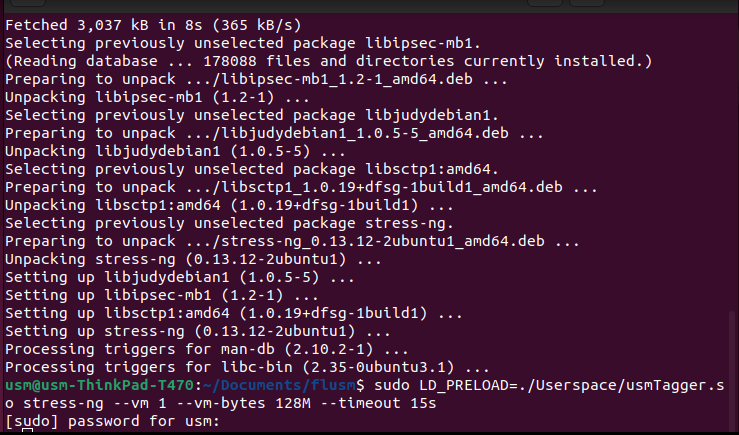 Memory Stress Test
When stress-ng attempts to allocate 1GB of memory (much more than our 256MB limit), the eviction policy will automatically activate, swapping out older pages to make room for new allocations.
Now, your memory manager is no longer brittle. When faced with memory pressure, it will automatically try to free space by swapping out the oldest pages, making the system much more robust.